Cooshee Tools · Free Android app
Cooshee Calorie Tracker
Track calories and macros on your terms. No account, no ads, no data leaving your phone.
The promise, in plain terms
Most trackers want your email, your habits and your attention. Cooshee wants none of them.
- No ads: nothing is sold to you, and nothing is sold about you.
- No in-app purchases: the whole app is the app.
- No device permissions: no camera, no location, no contacts, no gallery access.
- No internet permission: there is no server, so there is nothing to leak.
- No consent walls: no list of hundreds of "legitimate interest" partners.
Your food log lives in a private database on your phone. Nobody can see it, including us.
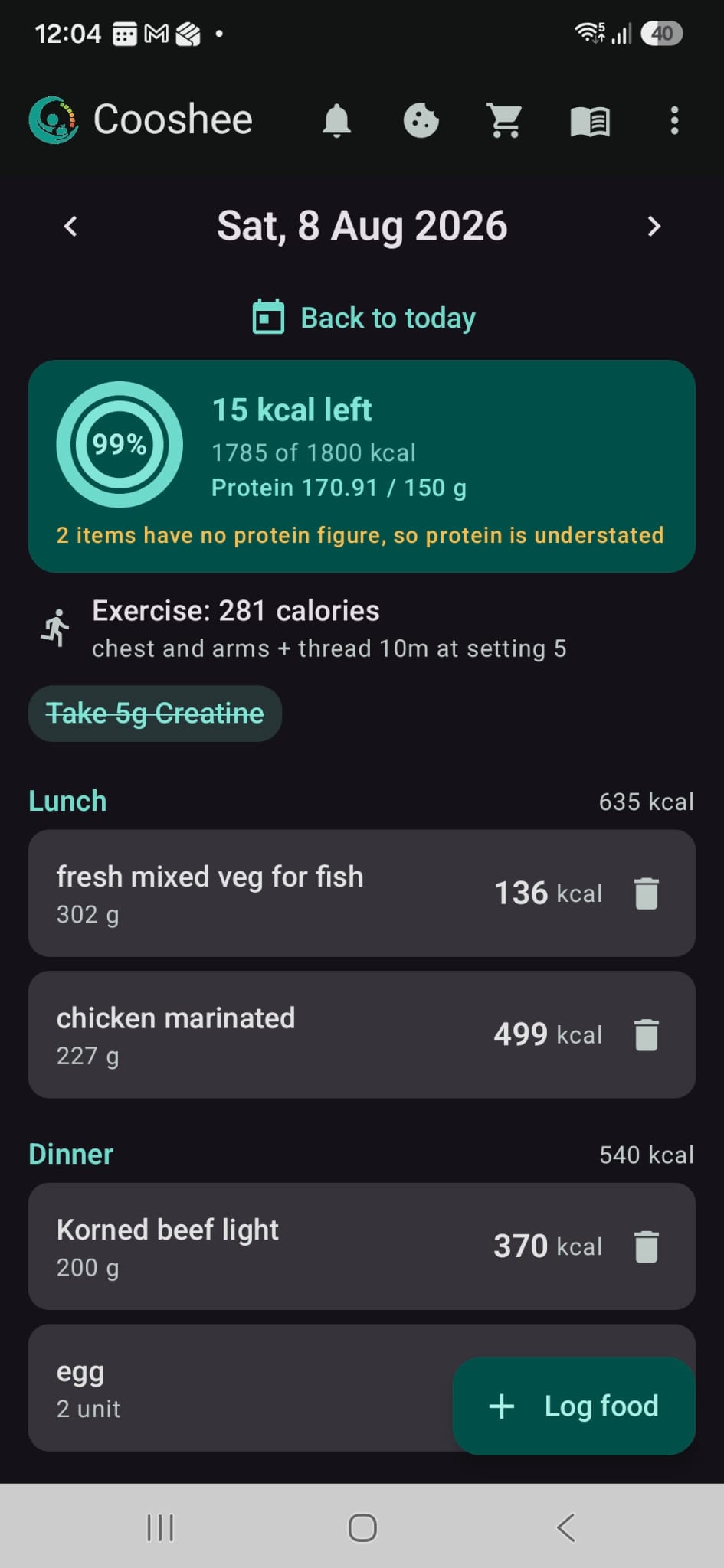
Your day, at a glance
What it does
Log a food once, use it forever
Save a food with its calories per 100 g, per unit, per slice: whatever suits it. Log any amount afterwards and the arithmetic is done for you.
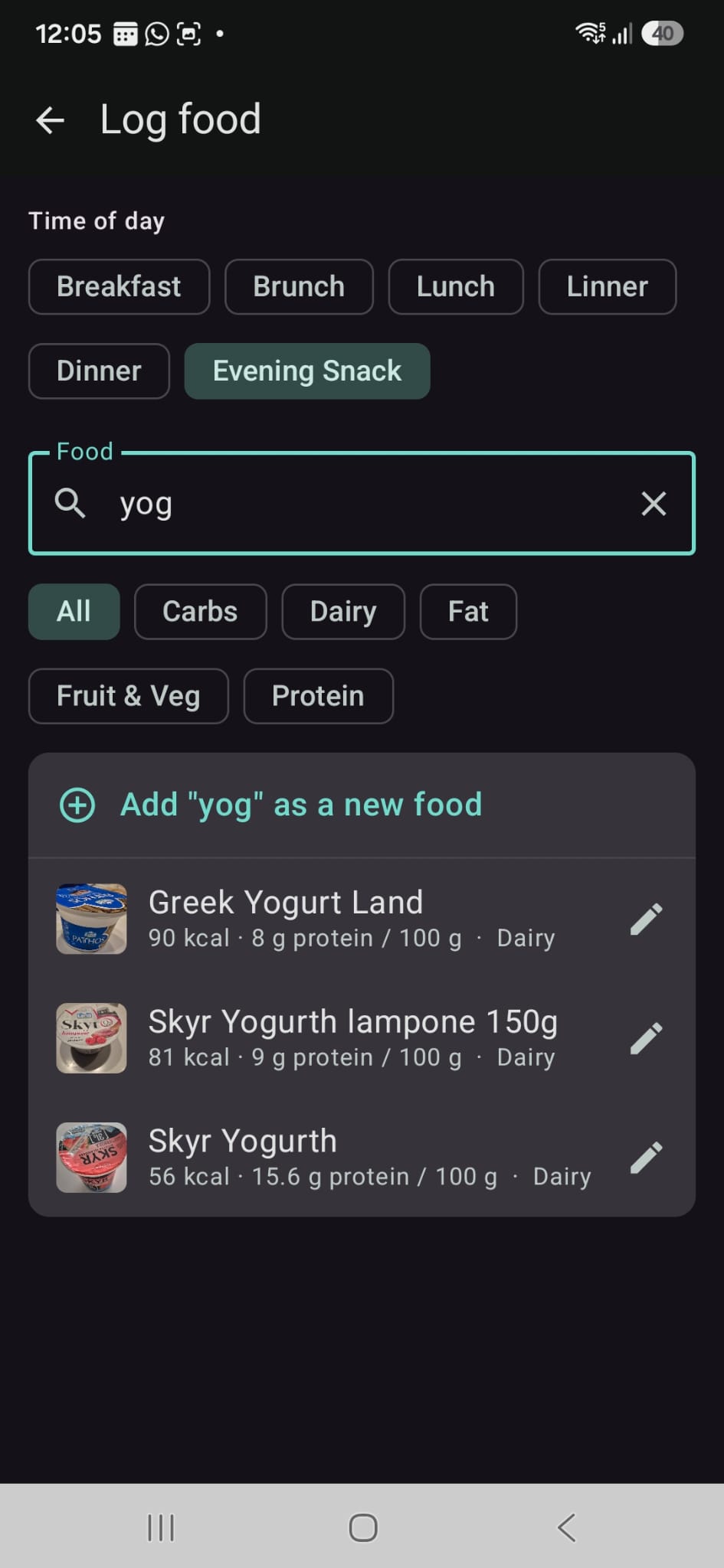
Search once, log in seconds
Your history stays honest
Correct a food's calories today and yesterday's totals do not move. Every entry keeps the figures it had when you saved it. What you logged is what happened; later corrections apply going forward.
Delete a food you have used for months and Cooshee archives it instead: it leaves your search, but your past entries keep it.
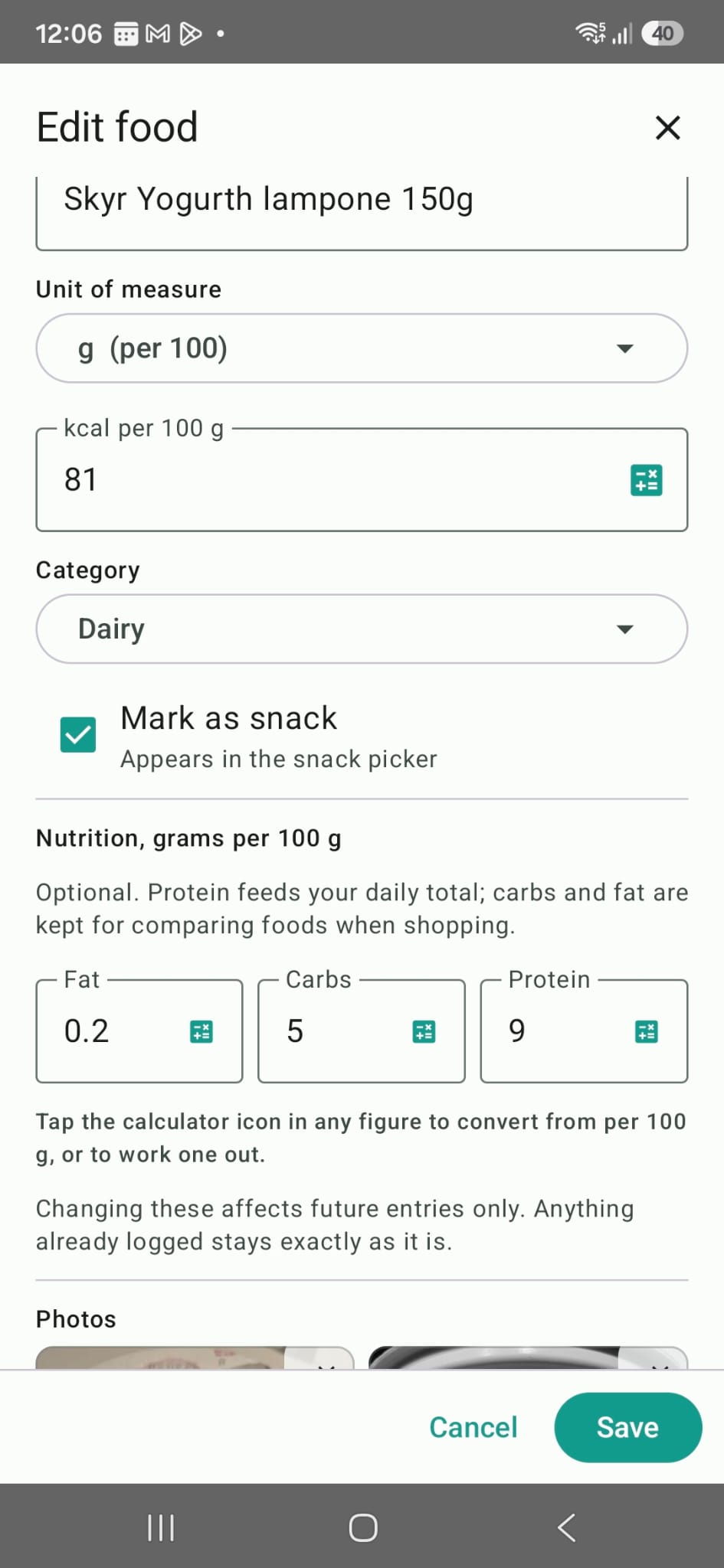
Everything about a food, on one screen
Protein, if you want it
Off by default. Turn it on and your day gains a protein total alongside calories. Turn it off later and nothing is lost: the figures keep being recorded, just not shown.
See the month at a glance
A round dot for calories, a square for protein. Colour says how the day went; a hollow mark means the day contains a guess rather than a measurement.
Where there is nothing fair to say, it says nothing. Today is never judged: it is still in progress. Protein is left blank on any day where some foods have no figure, because a green dot would flatter you and a red one would be unfair.
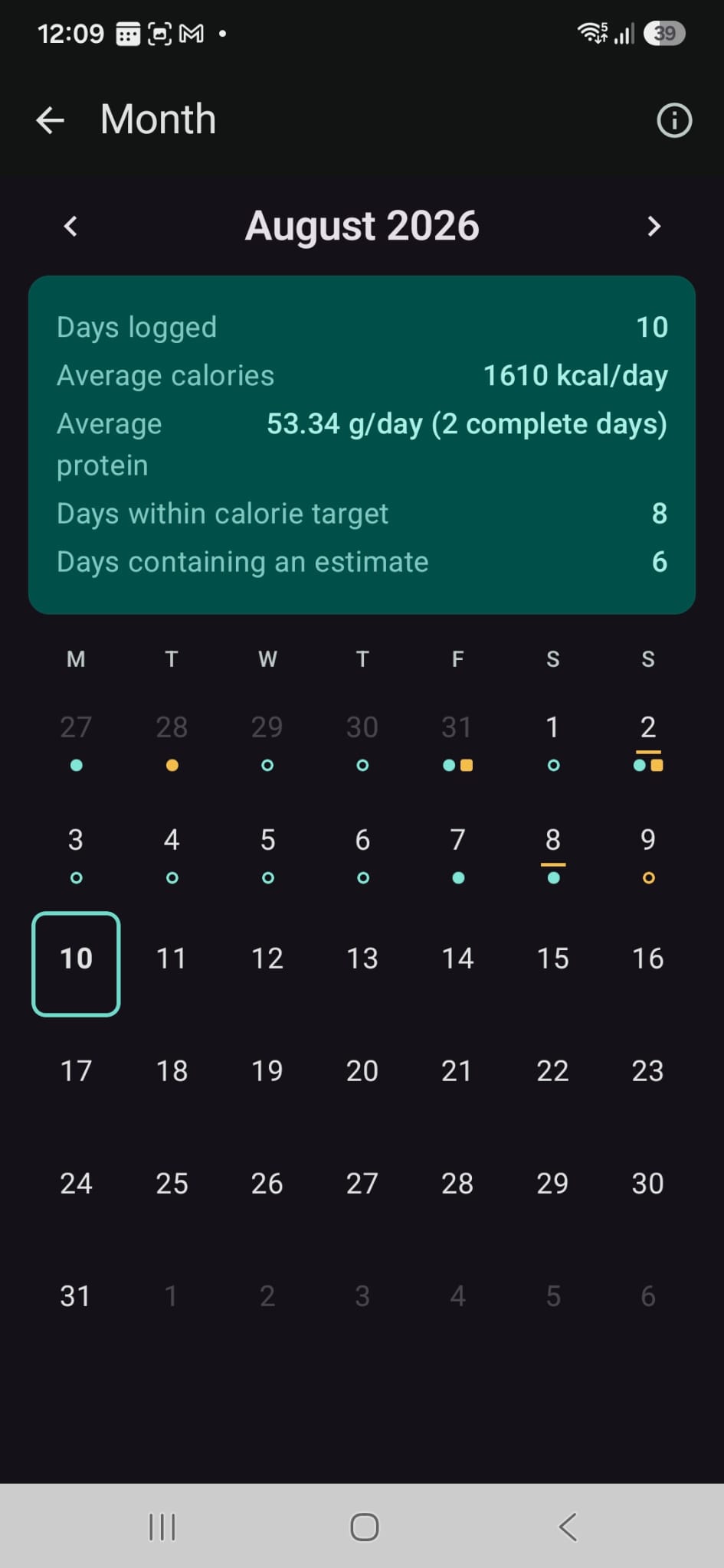
A month, honestly summarised
Track what matters to you
Not every measure that matters is a calorie. Cooshee lets you create your own tracked measures: weight, waist, blood pressure, sleep hours, or anything else relevant to your goals.
For each measure you decide what to track, how often to log it, the unit of measurement, and the target you are working towards. Cooshee then charts your entries alongside the target line, so you can see at a glance how you are progressing and how close you are getting.
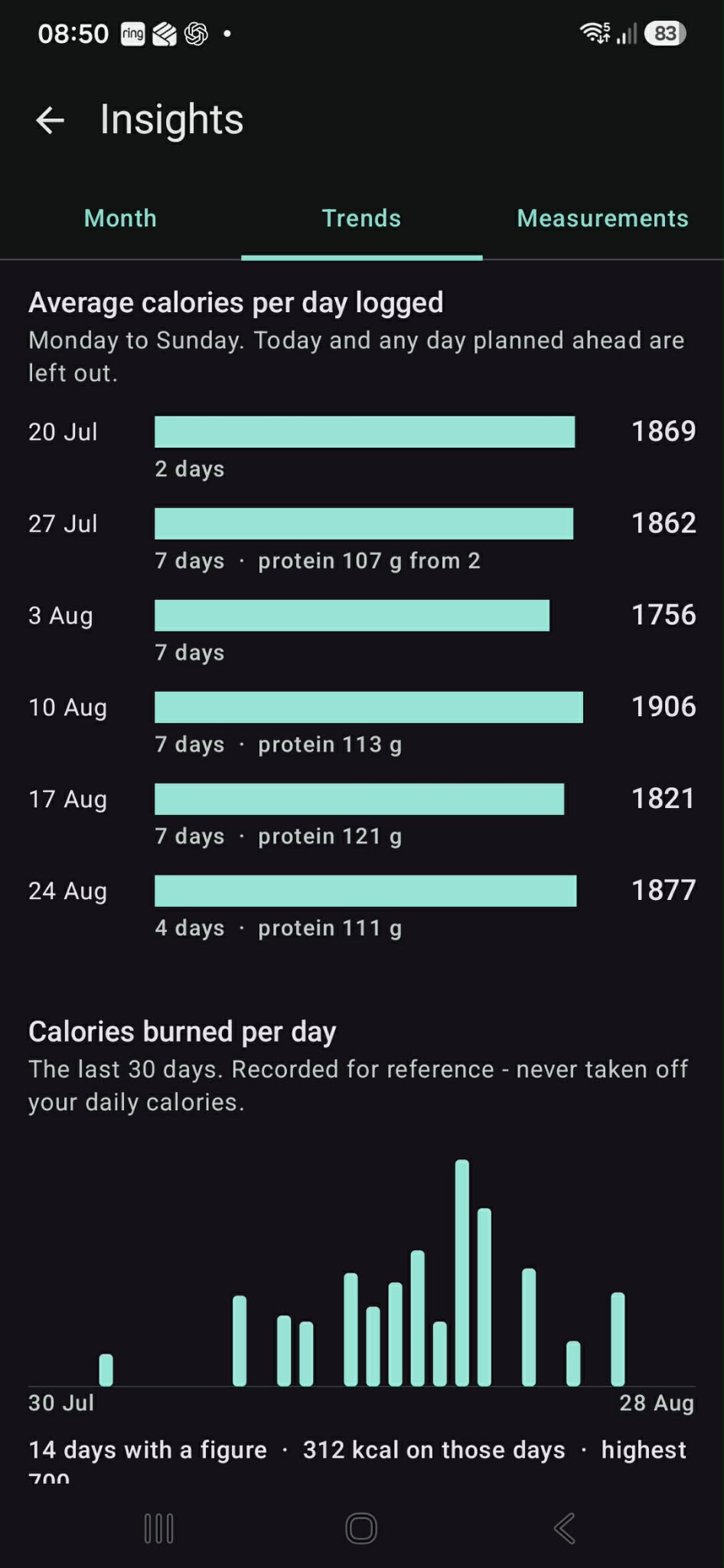
Weekly averages at a glance
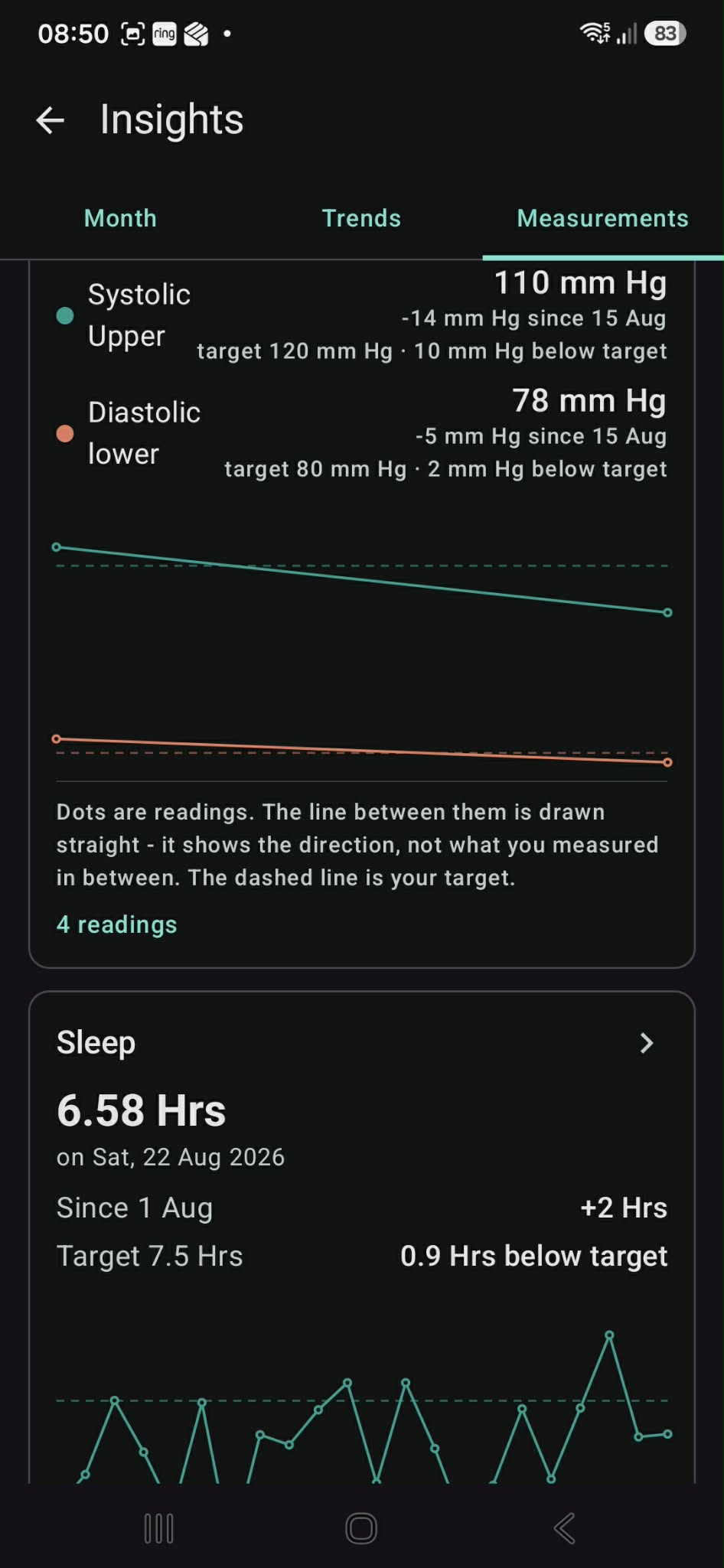
Your target, charted against your progress
Compare before you buy
A screen for the supermarket, not the kitchen. Search your foods and rank them by protein per 100 kcal: the one figure that means the same thing whatever the unit.
Results are grouped by unit, because per-100 g and per-item figures are not comparable, and treating them as though they were would mislead you in front of the shelf.
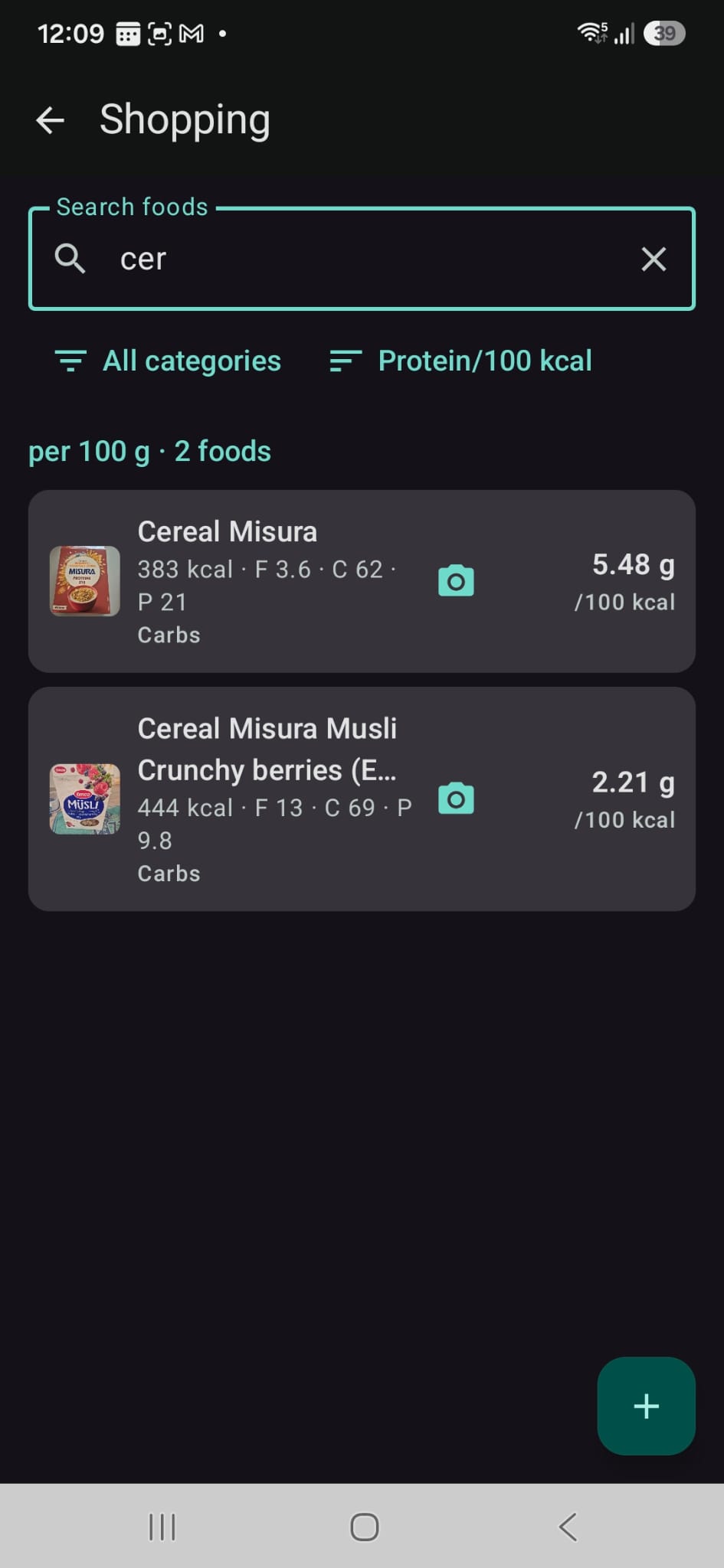
Compare before you buy
Photos of the packet and the label
Two pictures per food: one to recognise it, one of the nutrition table. Pinch to zoom the label while you are standing in the aisle.
Photos come from Android's system picker or a file browser: Cooshee never gets access to your photo library, only the single image you choose.
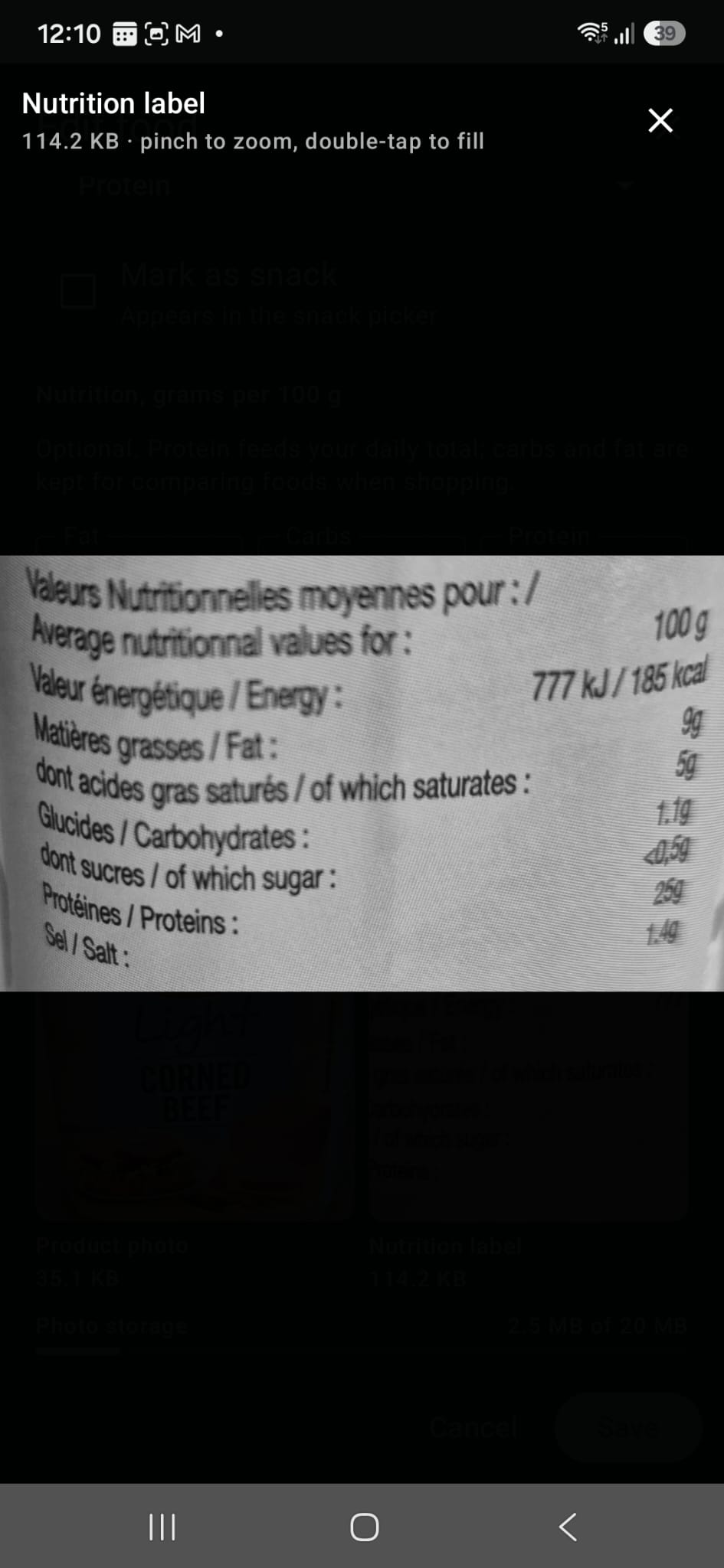
Read the label without the packet
Maths where you need it
Packet says per 100 g, but you store that food per unit? Tap the calculator in any figure and convert it in one step.
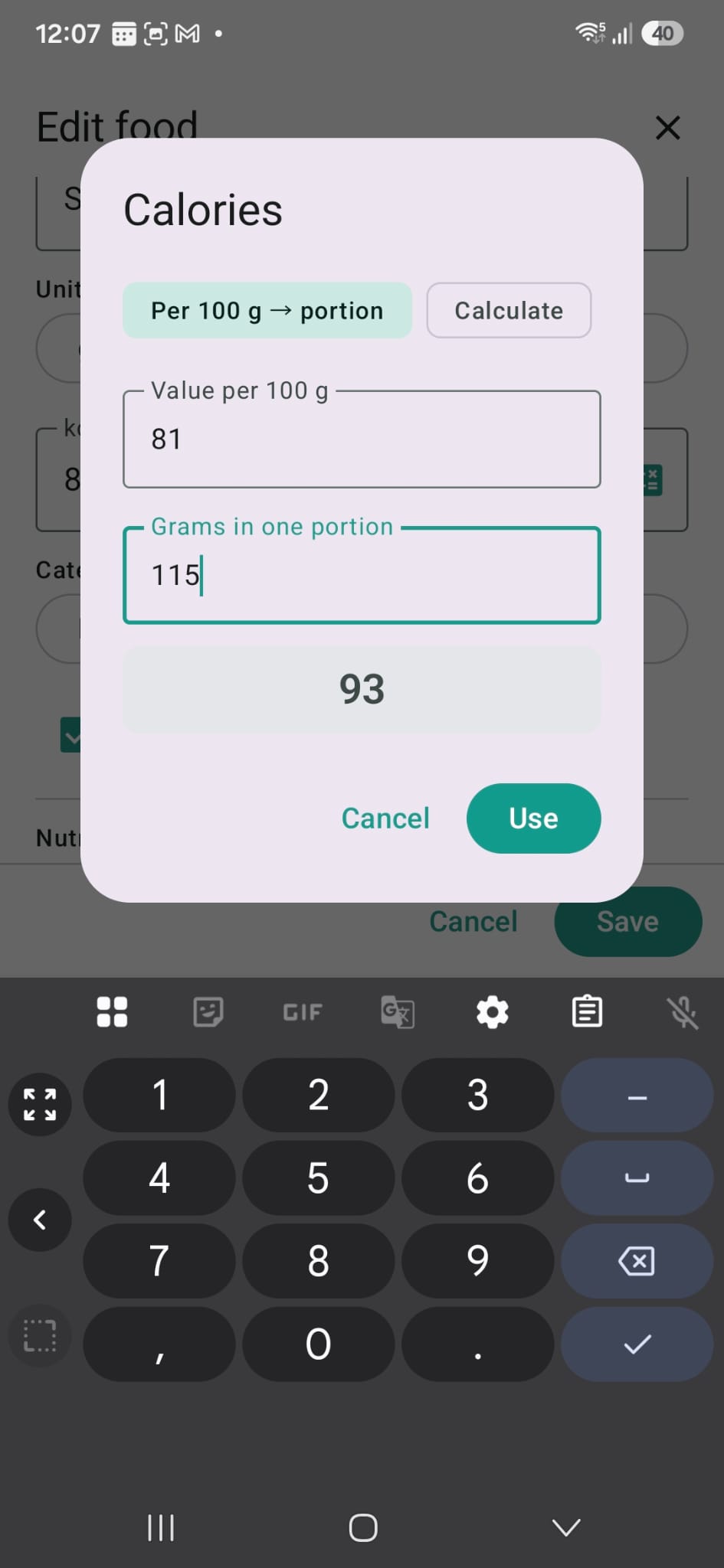
The packet says 100 g. You eat one.
Reminders that do not nag
"Take 5 g creatine." It appears on the days it applies to, inside the app, and you tick it off. Cooshee never sends a notification. A calm app does not interrupt.
Exercise
Record the work, not a fantasy
Log each exercise you did: what it was, how long, how many calories, and the numbers that show progress: weight, reps, sets, distance, and the setting on the machine.
Build routines once, "Push day" for instance, and assign them to the days you train. The day's plan is waiting when you get there.
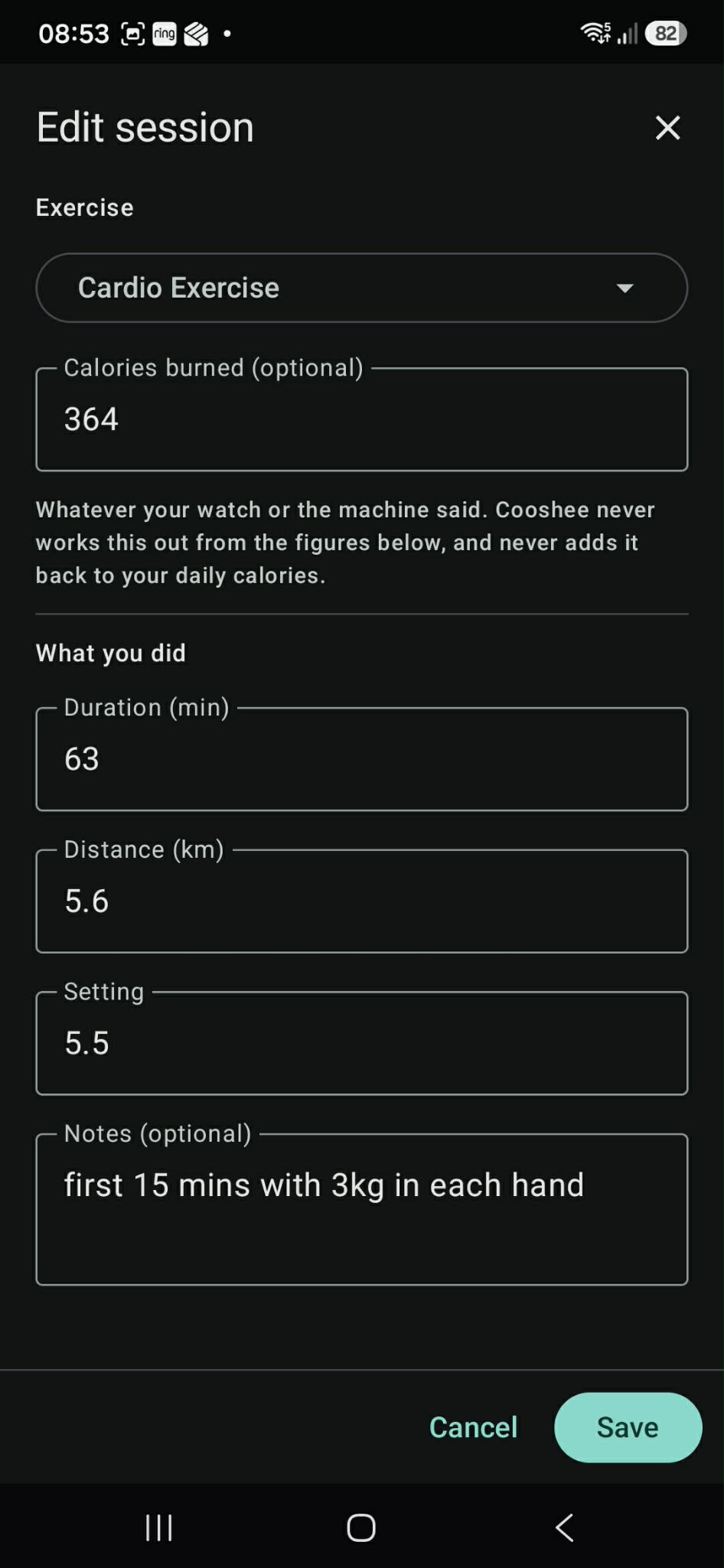
Record the work
What it deliberately does not do
Trust is easier to earn by being straight about the gaps:
- No syncing between devices. One phone at a time. That is what allows no account and no server.
- No barcode scanning. That needs a product database and an internet connection.
- No calorie database. You enter each food once; it is remembered after that.
- No reminders on your lock screen. By design.
One thing to do after installing
Cooshee is carried by Android's automatic backup, but only if Google backup is switched on for your phone. Without it, changing or losing your phone loses your log. To check: Settings → Google → Backup.
Get it
Free to download. No account required. Your data stays on your phone.
Coming to Google Play soon. The link above will be live once the app is published.
If you wish to donate, scroll down ↓Cooshee Healthy Mastery Toolkit
We have also created a healthy toolkit with a series of 7 short, to-the-point documents for you (see below). They are free to download and grounded in the same first-principles thinking the app is built on.
If you wish to donate, scroll down ↓- Introduction and Learning Outcomes
- Doc 01: The Metabolism and Thermodynamics Cheat Sheet
- Doc 02: The Satiety and High-Volume Food Matrix
- Doc 03: The Supplement Tier List
- Doc 04: The Muscle and Exercise Guide (ROI Focus)
- Doc 05: The Cardio and Recovery Guide
- Doc 06: The Master Weekly Architecture and KPI Dashboard
- Doc 07: The Anatomy Map and Frequently Asked Questions
About donations and your data
We use Revolut so your donation flows through their secure, regulated payment infrastructure, not ours. That gives you the peace of mind of a major payment provider's data protection and standard transaction protection.
Donations are entirely optional. They help cover hosting and the time spent building community tools. Thank you.
What Cooshee can see
- Your name
- Your email address
- The amount you donated
What only Revolut sees
- Card number and card details
- Mobile number
- Billing postal code
- Any other payment information
Licence and Legal
Free to use
Cooshee Calorie Tracker is free to download and use. There are no in-app purchases, no subscriptions, and no paid tiers. The app is provided as-is, without warranty of any kind, express or implied.
Your data
All your data lives in a private database on your phone. Cooshee cannot see it, access it, or recover it. If you lose your phone and Android's automatic backup was not switched on, your log cannot be recovered by us.
Non-affiliation
Cooshee Calorie Tracker is an independent app and is not affiliated with Google, the Google Play Store, or any food or supplement brand mentioned within the app or the accompanying documents.